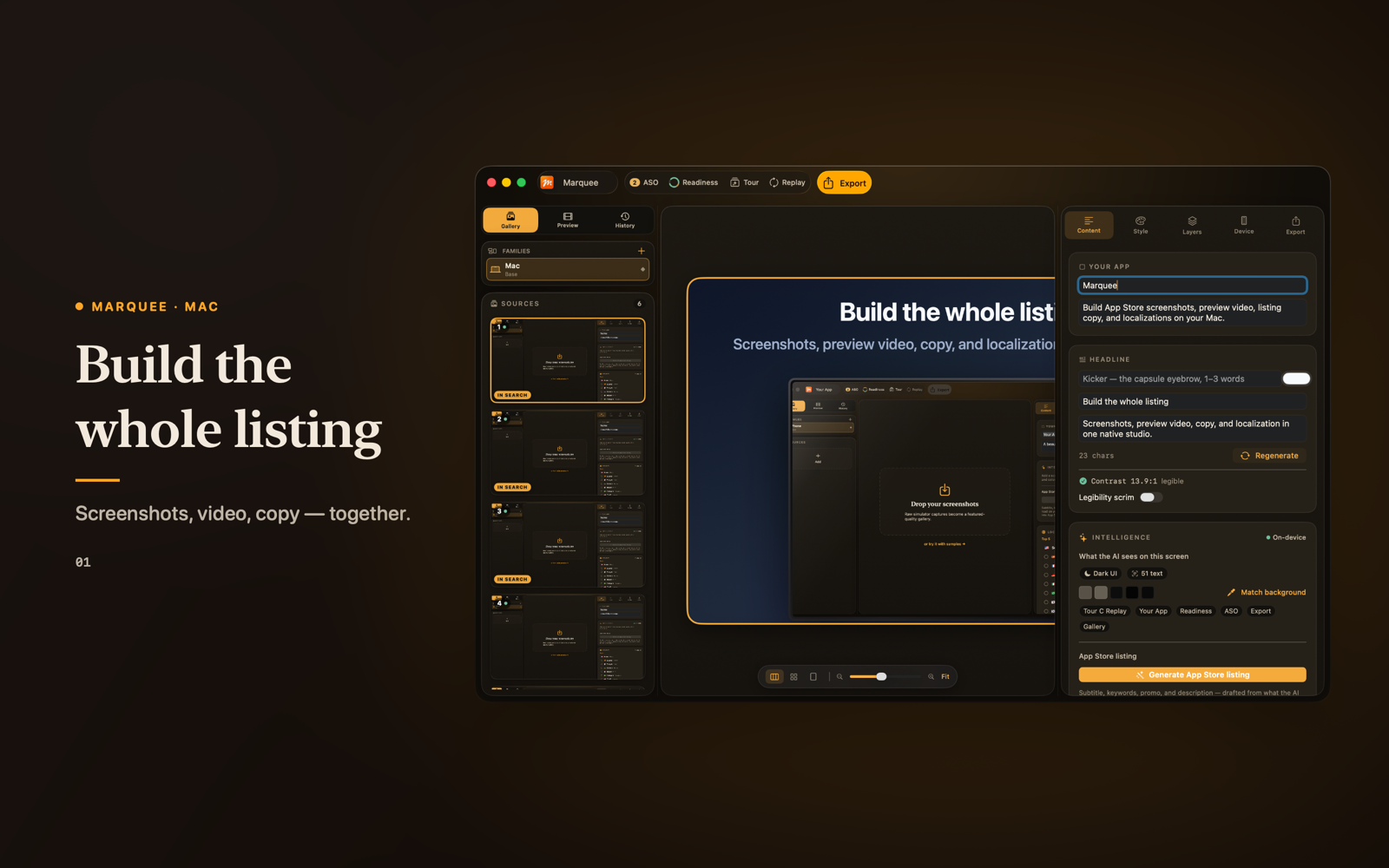
Screenshots
The whole listing, one project.
Import your real screens, choose a design system, and edit backgrounds, layouts, type, captions, and layers — live on the canvas. Start from ten five-slide presets or a blank stage.
Export exact-size, opaque PNGs, preflighted against the store's spec before and after each file is written.
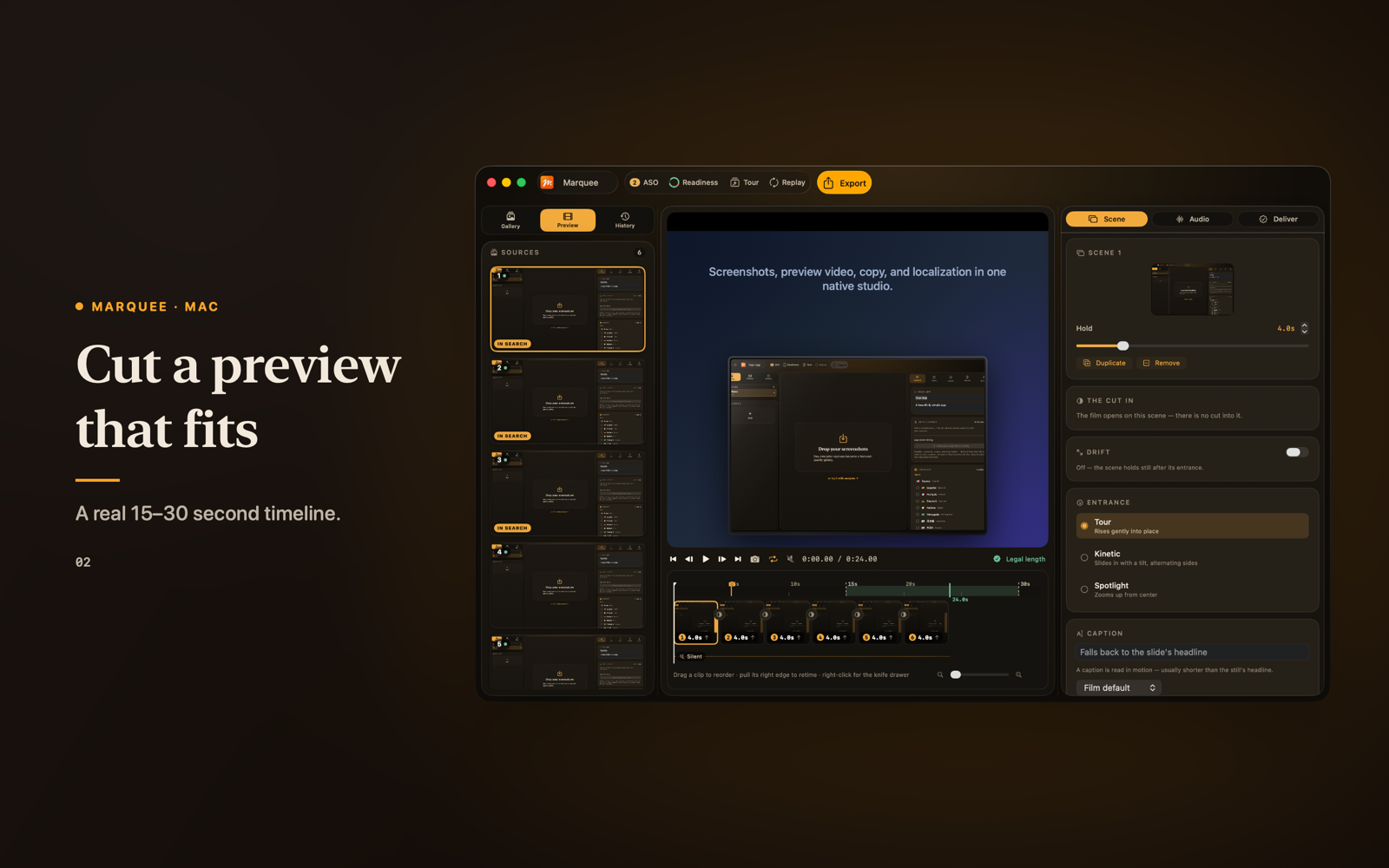
App Preview
A real preview editor, not a checkbox.
Cut the same screens into the 15–30-second App Preview: per-scene duration, motion, captions, audio, and a poster frame — then export H.264 for supported families.
Most tools stop at stills. Marquee ships the video editor too.
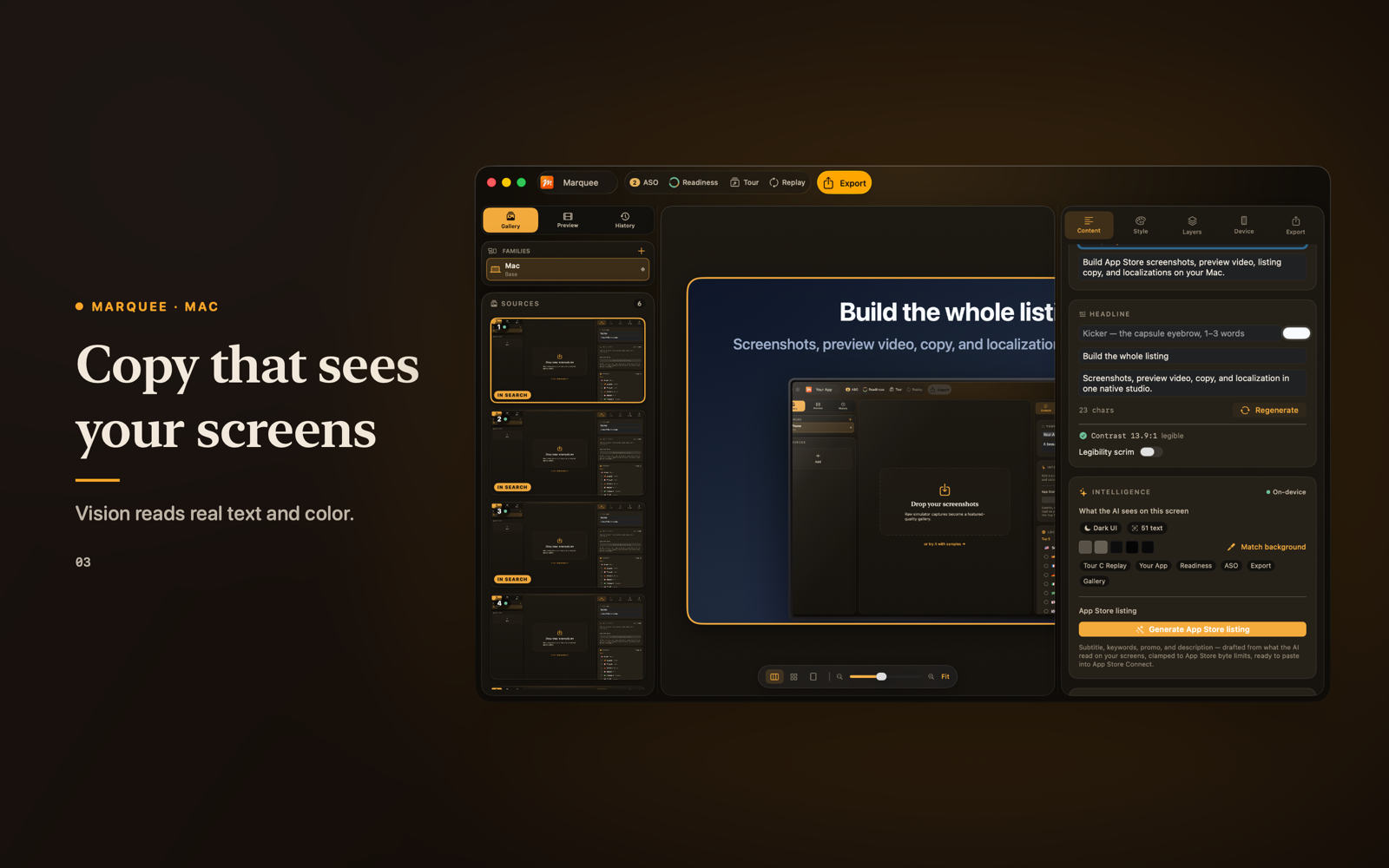
On-device copy
Copy that reads your screens.
On-device Vision reads the text and color in each screenshot. When Apple Intelligence is available, it drafts screen-aware headlines and listing copy from that evidence.
You see exactly what it detected, and review every line before use. Your unreleased app never leaves your Mac.
ASO
Optimized to be found.
A deterministic, on-device ASO audit checks your listing against the search terms you declare — every finding labeled with its evidence. No black-box score, no live-volume guesswork, no ranking promises: a traceable checklist you can actually act on.
Keyword coverage
UTF-8 byte-limit checks
Caption legibility (WCAG)
Featuring-readiness checklist
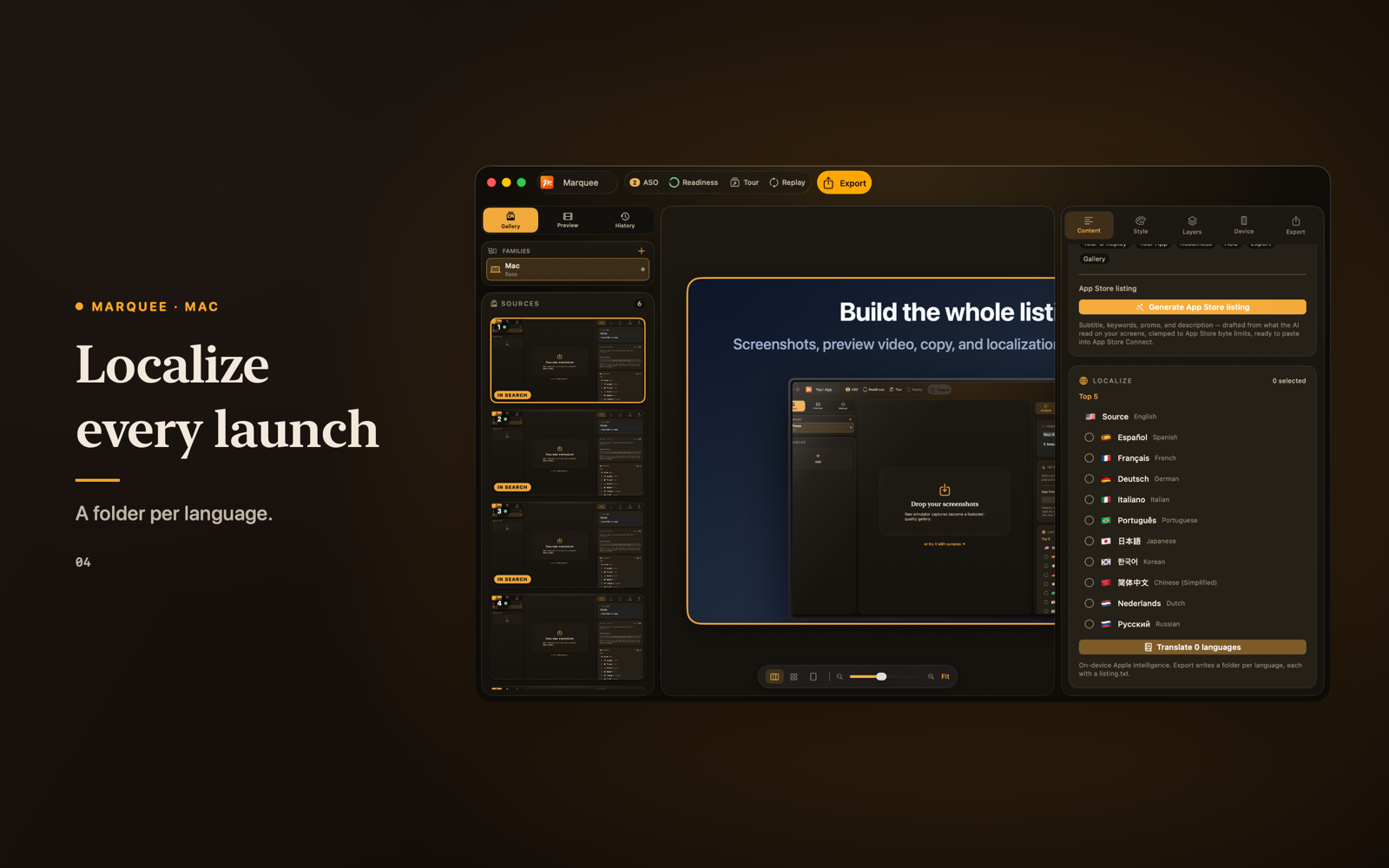
Localization
Every storefront, one project.
Choose from ten languages. When Apple Intelligence is available, translate captions and listing copy, preview a completed locale on the canvas, and export each language in its own correctly-named folder.
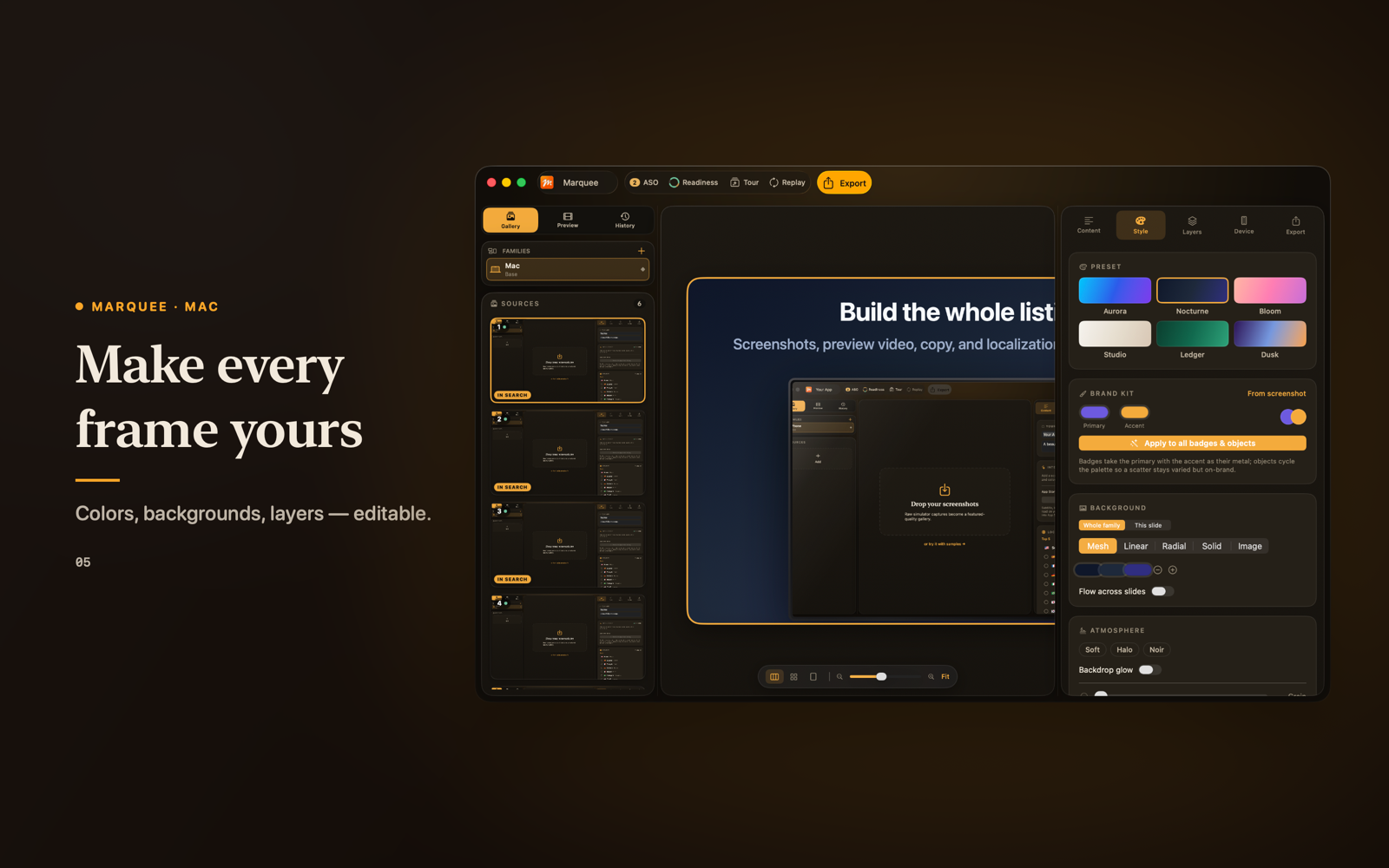
Style
Make every frame yours.
Preset, brand palette, backgrounds, atmosphere, typography, and layers — all editable, live on the canvas.
Generic device frames only. Nothing here recreates Apple hardware — so your listing stays featuring-safe.
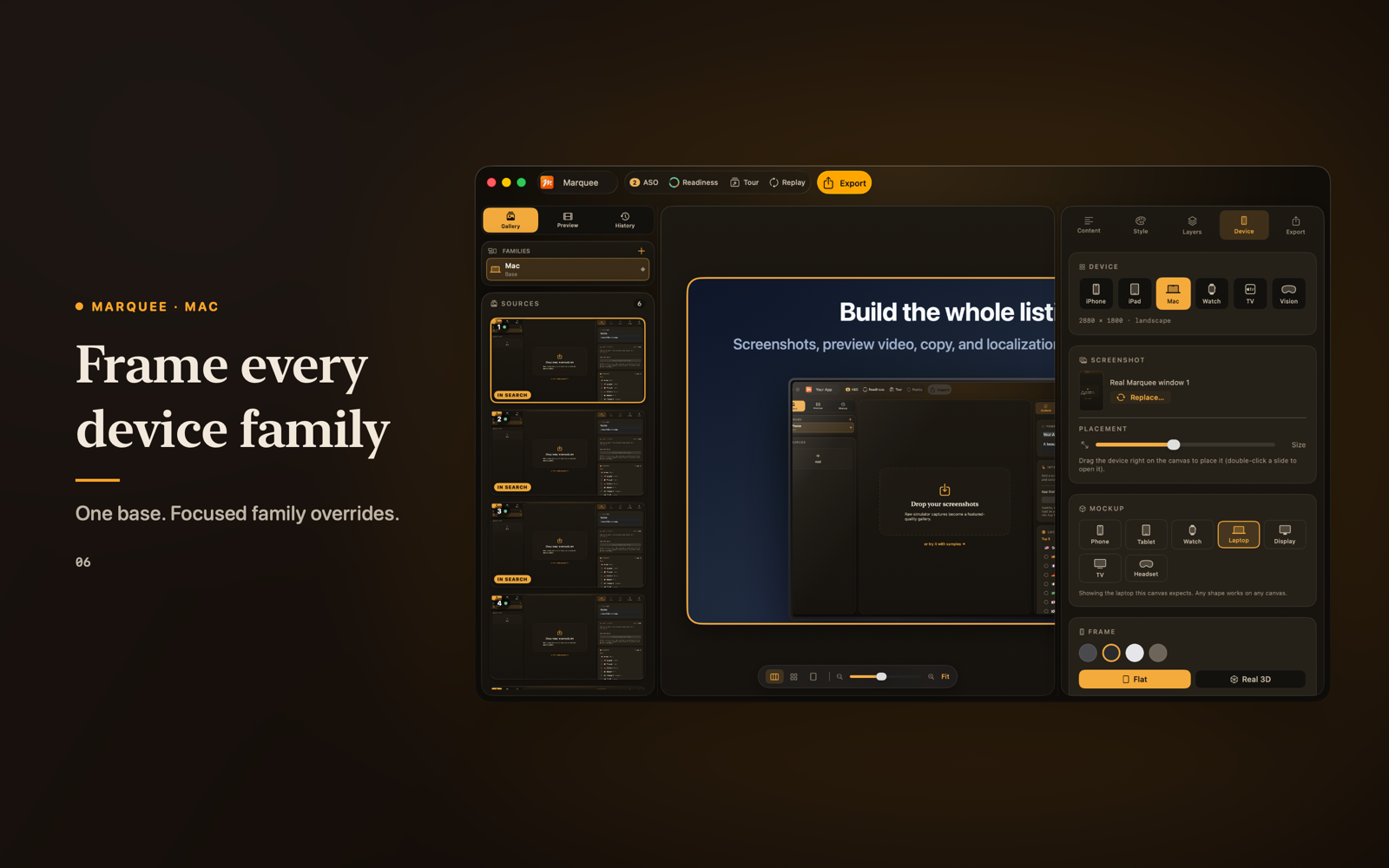
Device families
One base. Every family.
Keep iPhone, iPad, Mac, Apple Watch, Apple TV, and Apple Vision Pro in one project. Start a family from the base, override only what its aspect ratio needs — Marquee re-composes the layout and keeps them linked.
Pricing
Free to try. Unlock once to ship.
One-time purchase · No subscription · Launch pricing at release
- Import your screenshots and see them on a designed preset — free
- Unlock once to edit everything: copy, style, layers, device families
- Export exact-size, opaque screenshot sets and your App Preview video
- Publish straight to App Store Connect with your own key
- Yours forever, restored on every Mac on your Apple ID
Questions
Does Marquee upload to the App Store for me?
Yes. Connect your own App Store Connect API key — stored only in your Mac's Keychain — and Marquee pushes your screenshots straight into your listing's draft. You still review and submit for review yourself.
Is my unreleased app safe?
Yes. Screenshot analysis and copy drafting run on your Mac with Apple's on-device models. Nothing is sent to us — we run no servers. Only when you choose to publish does Marquee send your files to Apple's App Store Connect, over an encrypted connection.
Does it guarantee my listing passes review?
No — and we won't pretend otherwise. Marquee preflights every screenshot against Apple's pixel spec (size, opacity, color space) before it's written, which removes a common class of asset rejections. App Store review itself is Apple's call, not ours.
Do I need Apple Intelligence?
Not for the core. Importing, designing, exact-pixel export, and the ASO audit all work without it. On-device headline drafting and translation need Apple Intelligence available on your Mac, with a clear fallback when it isn't.
What does it cost?
Free to try. A one-time unlock enables editing, export, and publishing — no subscription. Launch pricing is shown on the Mac App Store at release.
What do I need to run it?
macOS 26 or later. Marquee prepares listing assets for iPhone, iPad, Mac, Apple Watch, Apple TV, and Apple Vision Pro.
Support
Questions, bugs, or a listing that fought back?
Write any time — replies come from a human.
vlada@queazy.appInclude your macOS version and any export or upload error you saw. Never send your App Store Connect key or .p8 file.